
About DoCurrencies:
DoCurrencies automatically updates your HubSpot currency rates every day.
- No configuration is required. All chosen currencies are updated once per day.
- "Update Currencies Now" button, to set up new currencies instantly.
- Works with all paid editions of HubSpot Sales Hub: Starter, Pro & Enterprise.
Installing DoCurrencies into HubSpot
On the HubSpot App Marketplace, click to install DoCurrencies to your HubSpot Portal.
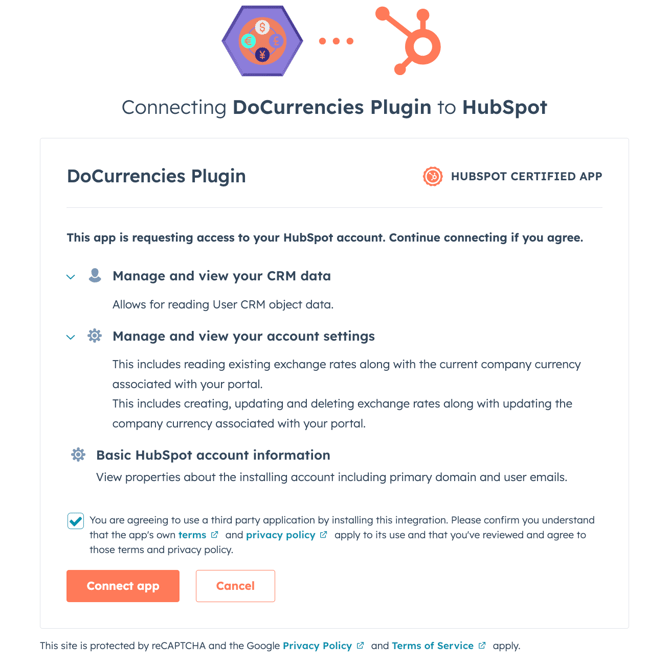
If you're presented with several HubSpot portals, select the correct one where you wish to install DoCurrencies, then press the button "Choose Account"
Tip: You must be a Super Admin in your HubSpot portal to install an App
Click > Connect app
Once installed, you will automatically be directed to the DoCurrencies settings screen in your the HubSpot account. Choose your preferred Currency Provider

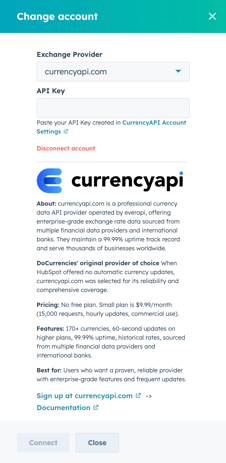
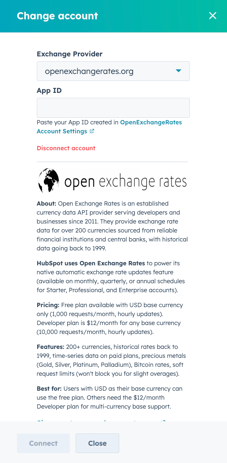
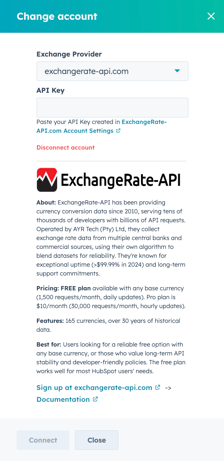
Insert the API key/API ID, from your provider > CONNECT
Thats all you need to do! DoCurrencies is automatically ON, updating your currencies each day.
NOTE: DoCurrencies Free connections is changing. DoCurrencies V2 will be a Paid service from 1 April 2026. More details to come.
Manage your DoCurrencies settings within your HubSpot account >
Settings > Integrations > Connected Apps > DoCurrencies > General Settings