
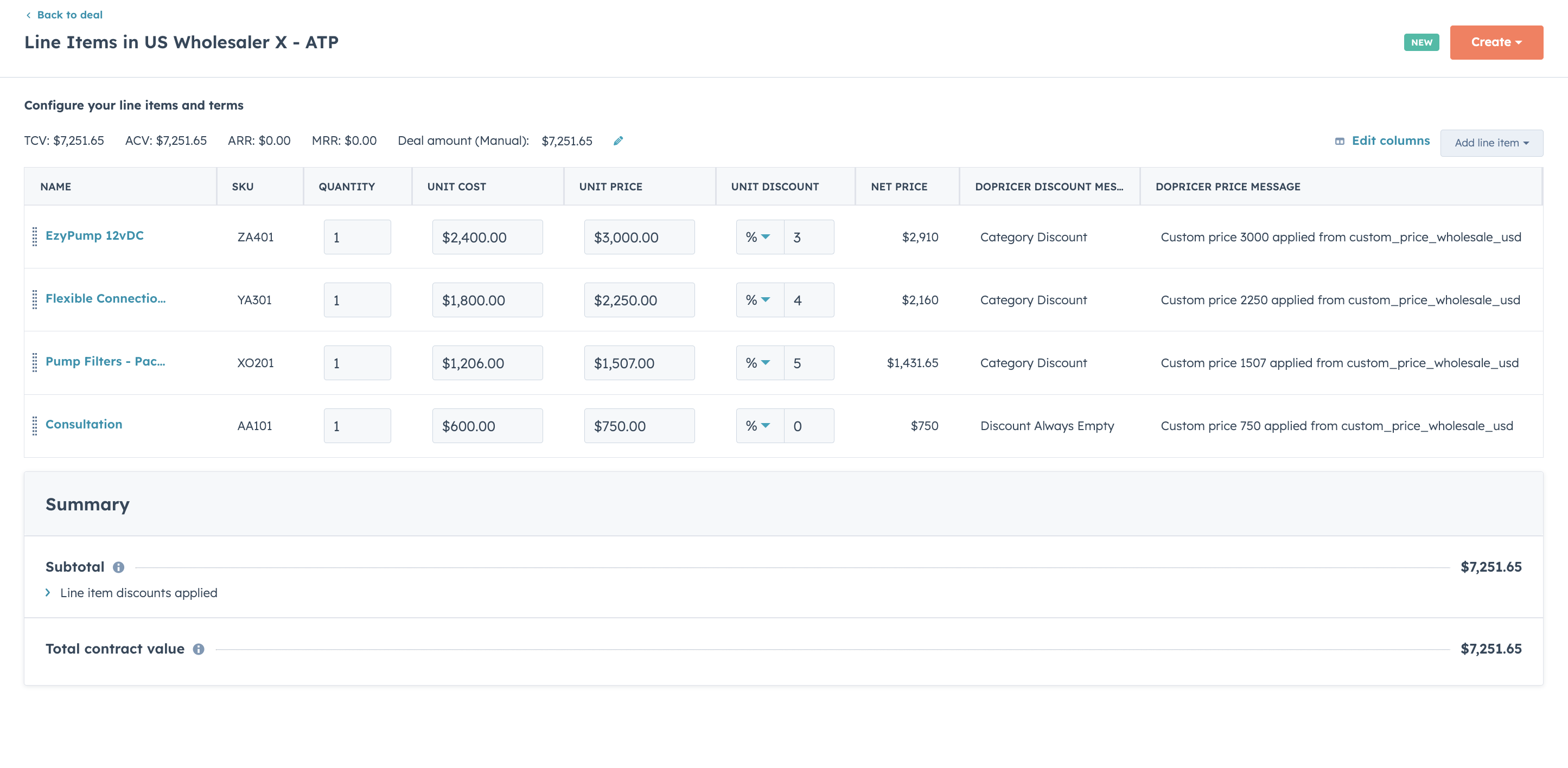
Adding these properties as visible columns in your Deal's line item view gives your sales team instant confirmation that DoPricer has run and shows exactly what pricing and discount decisions were applied.
Both properties are available on all DoPricer plans.
The two DoPricer message properties
DoPricer Discount Message records the discount decision. After DoPricer processes a line item, this property will contain one of the following values:
Value [Meaning]
Discount Always Empty[The product is marked as never discountable]Line Item Discount[A per-product SKU discount was applied]Category Discount[A product category discount was applied]Default Discount[The Company default discount was applied]No Discount[No discount rule matched; none applied]Company Off[DoPricer is disabled for this Company]
DoPricer Price Message records the pricing decision. Example values:
Value [Meaning]
Custom price 2257 applied from custom_price_wholesale_usd[A custom price list was applied]Standard price 2700 applied based on deal currency EUR[The Deal currency did not match the price list currency; DoPricer fell back to the standard HubSpot price]
If either property is empty on a line item, DoPricer has not yet processed that line item — or the line item was not on a Deal or Quote.
Note: The DoPricer Discount Message property also acts as a processing flag. Once it contains any value, DoPricer treats that line item as already processed and will not re-evaluate it. This prevents duplicate processing.
How to add the properties to the line item view
1. Open any Deal record in HubSpot and scroll to the line items section.
2. Click Edit columns — this button appears at the top right of the line item table.
3. In the column editor, search for DoPricer.
4. Select DoPricer Discount Message to add it as a column.
5. Select DoPricer Price Message to add it as a column.
6. Click Apply to save your column selection.
Both columns will now appear in the line item view on every Deal. After DoPricer processes a new line item, press browser refresh — the values will be visible in the columns immediately.
Related articles
For more help please email support@hubdo.com