
1. Product Discount "Always Empty"
: For all Users
Set a default extra Property on the product table to allow you to 'deactivate' discounts on particular products. The setting of “Always Empty”; applies a NO Discount setting on the products you choose, for example, items such as Consulting, Installation, Shipping, or Postage could be marked as YES, Always Empty, so NO discount is ever applied to them.
This setting takes precedence over all discount settings (product, category and default). Prices from price lists still apply.
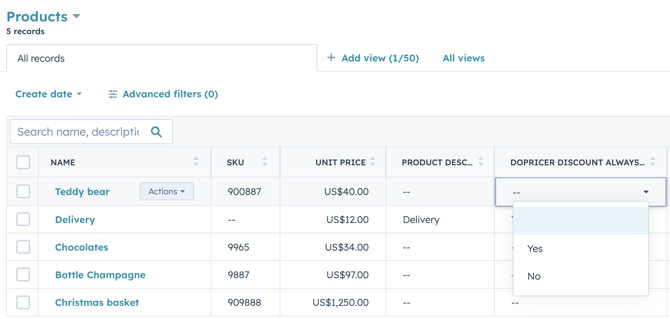
To set the No Discount, "Always Empty" functionality per product go to CRM > Products in HubSpot, and set DoPricer Discount Always Empty.
Choose the products you want NO Discount to be applied and click YES - here's an example:
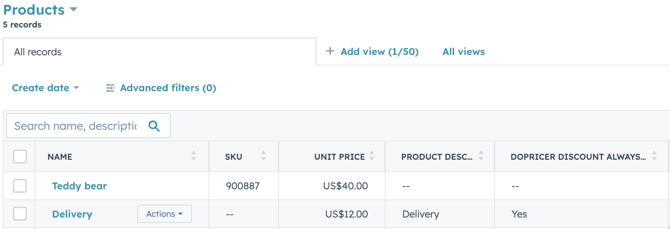
The below screenshot is showing 'Delivery' as DoPricer Discount Always Empty i.e. NOt Discounted
If you prefer to give the set company discount for ALL of your products and services, choose No or leave this field blank.
A sales rep can still type a discount on the line item by hand, and DoPricer keeps it.
The setting applies to new line items only. To change an existing line item, delete it and add it again.